
Stellarium - Star Map
Noctua SoftwareEducation
4.812.05K Reviews
- Version
- 1.16.10
- Installs
- 10.00M
- Age Rating
- Everyone
Screenshots
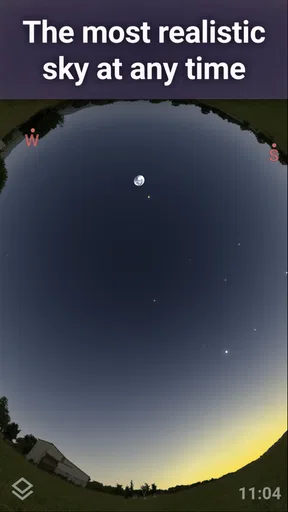
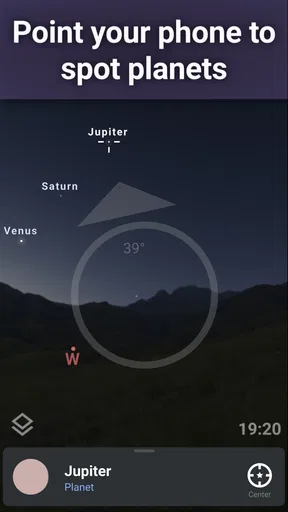
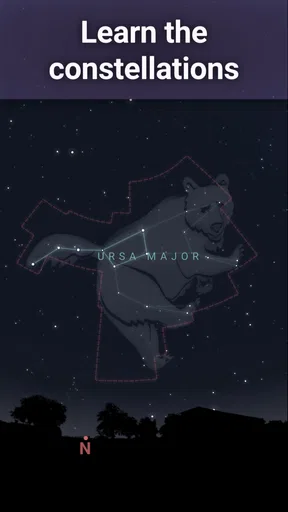
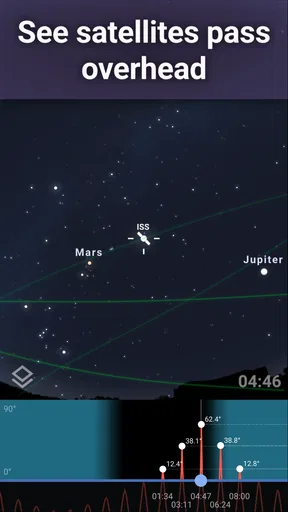
Our Review of Stellarium - Star Map
 Analysis by Appyee
I use a sky map most when I can see a bright point overhead but can’t tell whether it is a planet, a star, or something else. Stellarium Mobile - Star Map turns that small moment of uncertainty into an invitation to explore: I can check the view for my location, look up an object, and then connect what’s on the screen with the sky above me. It is an education app from Noctua Software, and its appeal is less about studying astronomy at a desk than about giving a curious person a practical way into it.
Useful beyond a quick glance
The app makes the most sense when I treat it as both a reference and a learning tool. If I’m planning to watch the sky later, I can look ahead and see how the scene changes with time; if I spot something unexpectedly, I can search for it or tap an object to learn more. That shift between identifying and understanding is what gives the map staying power. Instead of only telling me what I’m looking at, it can help me ask what else will be visible and how the arrangement will change.
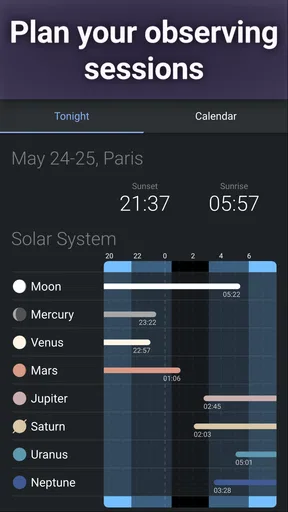
A useful habit is to explore indoors before heading outside. I can search for an object, inspect its position, and use the time controls to get a sense of when to look. Then, outside, I can compare the live view with the real sky. This makes the experience less like waving a phone around at random and more like following a small observing plan. It is especially helpful for newcomers who might otherwise lose confidence after failing to spot a dim object right away.
Readable controls, with a learning curve
Navigation is straightforward once I understand the basic gestures: swipe to move around the sky, search when I have a target, and tap an object when I want details. That simplicity keeps the first session approachable. At the same time, a map full of labels and celestial objects can feel busy, particularly when I’m trying to match a crowded screen to a dark sky. I find it easier to begin with one question—such as where a particular planet is—rather than trying to interpret every label at once.
That is also a useful way to share the app with someone who has little astronomy experience. I can show one bright object, identify it, and then let the person explore at their own pace. The search feature provides a clear route back to a specific target if swiping has taken us far away. The learning curve is gentle, but the app rewards patience more than hurried tapping.
Comfort depends on the setting
The red-tinted night mode is a thoughtful option when I’m outside in darkness and want to keep the display from feeling glaring. I still treat any bright phone screen cautiously: I lower the screen brightness before looking up, and I avoid leaving the display on longer than I need. Night mode helps, but it does not remove the basic trade-off of using a lit screen while trying to preserve dark adaptation.
Pointing a phone overhead for a long time can also be tiring, especially if I’m holding it with one hand or standing in an awkward position. I get more from short checks than from keeping the device raised throughout a whole observing session. In a group, passing the phone around or describing what to look for can be more comfortable than expecting everyone to hold it up continuously. The app is most inclusive when I adapt the activity to the people and conditions around me, rather than assuming that everyone can use the same posture, screen brightness, or pace.
Stellarium Mobile is free to start, with optional in-app purchases ranging from $1.99 to $19.99 per item. It is rated for Everyone, has a 4.8 average from around 297,000 ratings, and has passed 10 million installs. The current version is 1.15.3, and it runs on Android 9 or later. Those details make it easy to see why it has reached a wide audience, but the practical question is whether a sky map suits how you want to learn. If you mainly want a quick answer about one object, searching in a general web browser may be faster; if you want to connect the answer to your actual view overhead, a dedicated planetarium map is more useful.
Where the experience can fall short
There are situations where I would not make this my first choice. In a bright city, the map can identify what should be above me, but it cannot make faint stars visible through light pollution or poor weather. That distinction matters: the app is a guide to the sky, not a replacement for clear conditions or a pair of binoculars. Likewise, someone who wants a structured astronomy course may prefer lessons that move through concepts in order, while this app is better for self-directed discovery and looking things up as curiosity strikes.
There is a small practical tension between the app’s strongest use cases and the realities of being outside: searching and reading details are easier on a screen, while preserving night vision means limiting screen use. I find it works best to check a target, put the phone down, and look with my eyes for a while. The same approach helps reduce needless movement through menus and makes the outing feel more like stargazing than screen time.
Discover the Universe in Your Hands
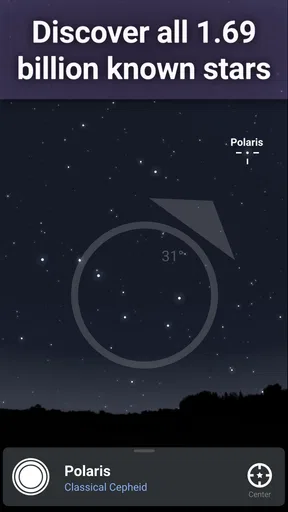
As soon as I launched Stellarium Mobile - Star Map, I was greeted by a simple yet stunning view of the night sky, just as it appears from my location. The app uses your GPS to show the stars, planets, constellations, and even satellites visible from your exact position. Seriously, it’s like carrying a piece of the universe in your pocket.
The interface is intuitive, with a seamless navigation system that lets you explore the sky by simply swiping around. I was particularly impressed with the search function. Looking for Mars? Just type it in, and bam! The app guides you right to it. It’s like having a knowledgeable friend who’s always down for some stargazing.
Features Galore
This app is packed with features that make it not just informative, but downright fun. Here are some that really stood out to me:
- Augmented Reality (AR) Mode: Point your device at the sky, and the app overlays information about the stars and planets you're seeing. It makes you feel like a space explorer right here on Earth.
- Night Mode: A gentle red tint that’s easy on the eyes, perfect for those late-night stargazing sessions without ruining your night vision.
- Time Travel: No, not literally. But you can fast forward or rewind time to see how the sky changes. It’s fascinating to watch constellations shift and planets move over days or months.
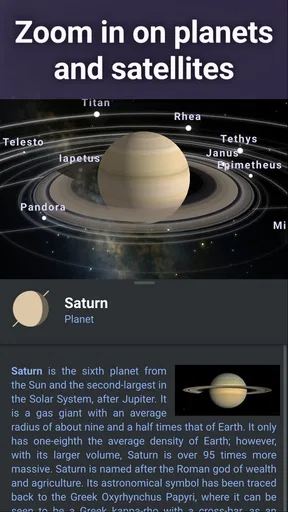
- Detailed Information: Tap on any celestial object to get detailed info including distance, brightness, and even mythology, which adds an educational twist to the exploration.
Personal Experience and Usability
I’ve spent countless nights using this app, and honestly, it’s become my go-to guide for all things celestial. The AR mode is especially cool, making me feel like I’ve got a personal tour guide pointing out the wonders above. It’s perfect for both astronomy newbies and seasoned stargazers.
What really sets this app apart is its accuracy and ease of use. Even someone with zero knowledge about the sky can navigate through it effortlessly. The app’s design is sleek, with smooth animations that keep the experience immersive.
Why You Should Try It
If you're someone who loves the stars or just wants to learn more about the vast universe, Stellarium Mobile - Star Map is a must-have. It's not just an app; it’s a gateway to understanding the cosmos. Plus, there’s something incredibly calming about sitting outside, looking up, and finally being able to name the stars and planets above.
And for those moments when you want to impress your friends with your newfound astronomy skills, this app has got you covered. Just whip out your phone, point it at the sky, and let the magic unfold. Trust me, you’ll be the star of the night.
So, go ahead and download it. Dive into the universe and let your curiosity lead the way. The stars are waiting, and Stellarium Mobile - Star Map is your ticket to exploring them like never before.
A practical choice for different ways of exploring
For a realistic first outing, I’d start with a clear evening and choose a familiar landmark or an open patch of sky. I would search for one object before leaving home, use the time controls to understand when it should be visible, and then make only a brief check with the phone outside. This workflow is more useful than trying to identify everything at once, and it gives a beginner a simple success to build on. If clouds roll in, the time controls still let me explore how the sky changes, though that becomes a learning session rather than an observation.
Compared with a paper star chart, the app is far more responsive to location and time, and it can name objects without requiring me to decode printed symbols. A paper chart, however, avoids screen glare and never asks me to hold a phone overhead. Compared with a general search engine, Stellarium Mobile is better at showing where an object sits relative to the surrounding sky; a web search may be quicker when I only need a definition. I see the app as a complement to binoculars or a book, not a substitute for either.
Access depends on the person and the moment
For users who find small text difficult, the practical challenge is the density of information on a sky map. I would keep the first task narrow, use search rather than scanning many labels, and read object details after bringing the phone down to a comfortable position. That does not remove every readability barrier, but it avoids making the busiest screen the starting point. Likewise, a person who has difficulty with precise gestures may find a simple search-led session easier than repeatedly swiping to navigate.
The app’s visual presentation is central to what it does, so it will not be equally suitable for someone who cannot comfortably use a visual map. In a shared session, another person can read the object information aloud and help relate it to the visible sky, but that is a workaround rather than a built-in alternative experience. Sensory context matters too: a dark, quiet location can make observing pleasant, while cold, crowds, traffic, or bright nearby lights may make an outdoor session uncomfortable or distracting. I would choose a safe, accessible place first and treat the app as a guide, not a reason to move into an inconvenient spot.
Who will get the most from it
I recommend it most to curious beginners, families who enjoy asking questions outdoors, and casual observers who want to recognize planets or constellations without turning the hobby into a technical project. A student can use the changing sky as a visual prompt, while an experienced skywatcher may appreciate having a quick location-aware reference in hand. Its education category is a good fit: the learning is exploratory, with the user choosing what to investigate rather than following a fixed lesson sequence.
I would suggest skipping it if your main need is a formal, step-by-step astronomy course, if you rarely have a usable view of the sky and do not enjoy exploring simulated views, or if holding and looking at a phone is uncomfortable. Someone who wants a completely screen-free observing routine will also be happier with a printed chart or a companion who can identify objects. For everyone else, the free starting point makes it reasonable to try before deciding whether any optional purchases are worthwhile; the in-app items range from $1.99 to $19.99.
A grounded recommendation
Released on December 4, 2020, the app has developed a broad audience, with around 11,000 written reviews alongside its large number of ratings. I would not take popularity as proof that it suits every ability or setting, but it does suggest that the basic idea resonates with many people: make the sky easier to approach by connecting a screen to the view overhead. The latest version, 1.15.3, is available for devices running Android 9 or later, so checking compatibility before planning an outing is sensible.
My recommendation is to use Stellarium Mobile in short, purposeful visits: plan one target, check it outdoors, then look up without the screen. That balance keeps its strongest feature—the link between map and real sky—at the centre, while reducing glare, arm strain, and information overload. For a free astronomy companion that encourages curiosity and can adapt to a relaxed solo session or a shared family conversation, I think it is well worth trying. Its limitations are real, but they are easier to handle when I choose the right place, pace, and way of exploring.
Privacy and Permissions
See what permissions an app requests and how it handles your data.
- Location
- approximate location (network-based), precise location (GPS and network-based)
- Photos/Media/Files
- read the contents of your USB storage, modify or delete the contents of your USB storage
- Storage
- read the contents of your USB storage, modify or delete the contents of your USB storage
- Camera
- take pictures and videos
- Other
- view network connections, pair with Bluetooth devices, access Bluetooth settings, full network access, run at startup, prevent device from sleeping, Google Play license check
Verdict
Strengths of Stellarium - Star Map
- Accurate real-time sky mapping.
- Easy to use for astronomy beginners.
- Offline mode available for remote areas.
- Highly detailed celestial objects database.
- Customizable viewing options and settings.
Limitations of Stellarium - Star Map
- Requires a stable internet for updates.
- Some advanced features need purchases.
- Battery drain on older devices.
- Limited AR functionalities.
- Occasional lag on low-end hardware.
Similar Picks in This Category
View All
Duolingo: Language Lessons
Duolingo4.7

Google Classroom
Google LLC2.8

Unacademy: Learn & Crack Exams
Unacademy3.2

Bible App for Kids
Life.Church4.4

Cake - Learn English & Korean
Cake Corp.4.7

Brainly: AI Homework Helper
Brainly4.5
Frequently Asked Questions
What features does Stellarium Mobile offer?
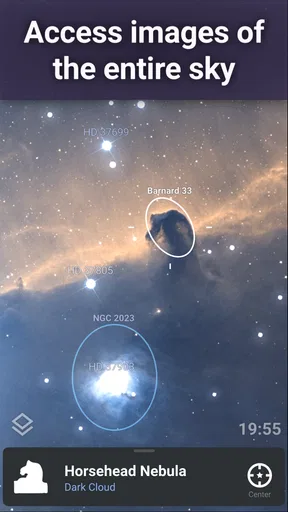
Stellarium Mobile provides an extensive range of features including a realistic night sky view with stars, planets, and constellations. It offers a landscape mode, night mode for stargazing, and a powerful zoom. Users can explore deep-sky objects, satellites, and even track the International Space Station. It's a comprehensive tool for astronomy enthusiasts.
Is Stellarium Mobile suitable for beginners?
Yes, Stellarium Mobile is designed to cater to both beginners and advanced users. The intuitive interface and guided tours make it easy for newcomers to explore the night sky. Meanwhile, advanced features like telescope control and extensive star catalogs provide depth for more experienced astronomers.
Does Stellarium Mobile require an internet connection?
Stellarium Mobile primarily works offline, allowing users to explore the night sky without an internet connection. However, certain features like satellite tracking and real-time updates may require online access. This makes it a versatile app for both remote and urban stargazing.
How accurate is Stellarium Mobile’s star map?
Stellarium Mobile is highly accurate, using precise astronomical data to represent real-time positions of celestial objects. Its accuracy makes it a trusted resource for amateur and professional astronomers alike, providing detailed and up-to-date star maps and planetary information.
Can Stellarium Mobile be used on both Android and iOS devices?
Yes, Stellarium Mobile is available for both Android and iOS platforms. It offers a seamless experience across different devices, ensuring that users can enjoy their stargazing sessions on smartphones and tablets, regardless of the operating system they're using.
